Effective accounts payable processes have the power to either make or break a business. When invoices pile up, manual processing slows down payments, increases errors, and strains vendor relationships. This inability to perform manual tasks leads to lost invoices, longer approval cycles, and increasing costs. The solution? Invoice automation software.
That’s why many AP teams use automated invoice processing software. As businesses look for smarter and quicker ways to process invoices, the automation trend is expected to grow further in 2026.
This guide will outline the best invoice automation software, help you decide what to look for, and offer advice on how to pick the best option for AP needs.
Key Takeaways
- Invoice automation software uses OCR, AI, machine learning, workflow rules, and integrations to reduce manual invoice processing.
- Automated invoice processing can speed up approvals, reduce data-entry errors, improve visibility, and create more consistent audit trails.
- The best invoice automation software depends on invoice volume, AP workflows, ERP integrations, security requirements, and budget.
- AI invoice automation can extract and interpret invoice data, identify mismatches, and route exceptions for human review.
- Businesses should evaluate invoice automation solutions using real invoices and calculate total implementation costs before selecting a provider.
What is Invoice Automation Software?
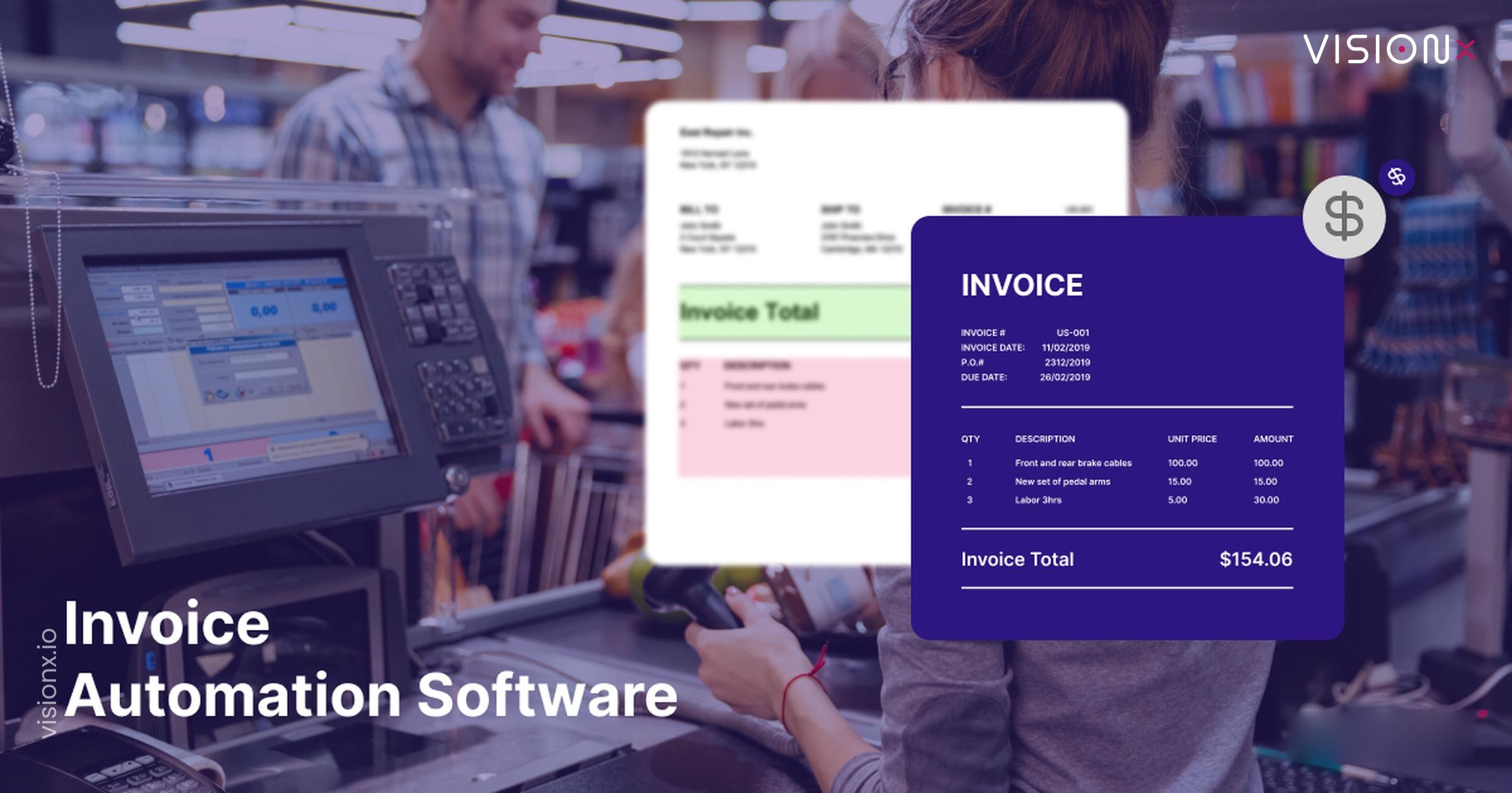
Invoice automation software is a tool that captures supplier invoices, extracts their data, validates it against purchase orders and contracts, routes it for approval, and posts it to an accounting system or ERP without anyone retyping a line item.
This automated invoice management system uses technologies like Optical Character Recognition (OCR), AI, and Machine learning to reduce errors and save time. Vendors also sell it as invoice recognition software or OCR invoice processing software, depending on which part of the stack they lead with.
Here’s how it helps;
- All that tedious data entry by hand? Gone, as manual input is replaced by smart data capture.
- Authorizations for invoices? Automated, as approvals are routed instantly based on rules. This is the part sold on its own as invoice routing software or invoice workflow software.
- What’s the best part? It integrates easily with your accounting program, without a brittle automated invoice interface built on nightly file drops.
AP teams can increase their financial accuracy, reduce expenses, and save time by implementing invoice processing solutions. It’s similar to having your very own personal assistant for billing.
How Invoice Automation Software Works
So how does invoice automation work? By managing repetitive activities and guaranteeing accuracy, invoice automation software streamlines and speeds up the AP invoice workflow automation process.
Here’s a breakdown, and it doubles as the answer to how to automate invoice processing in your own operation:
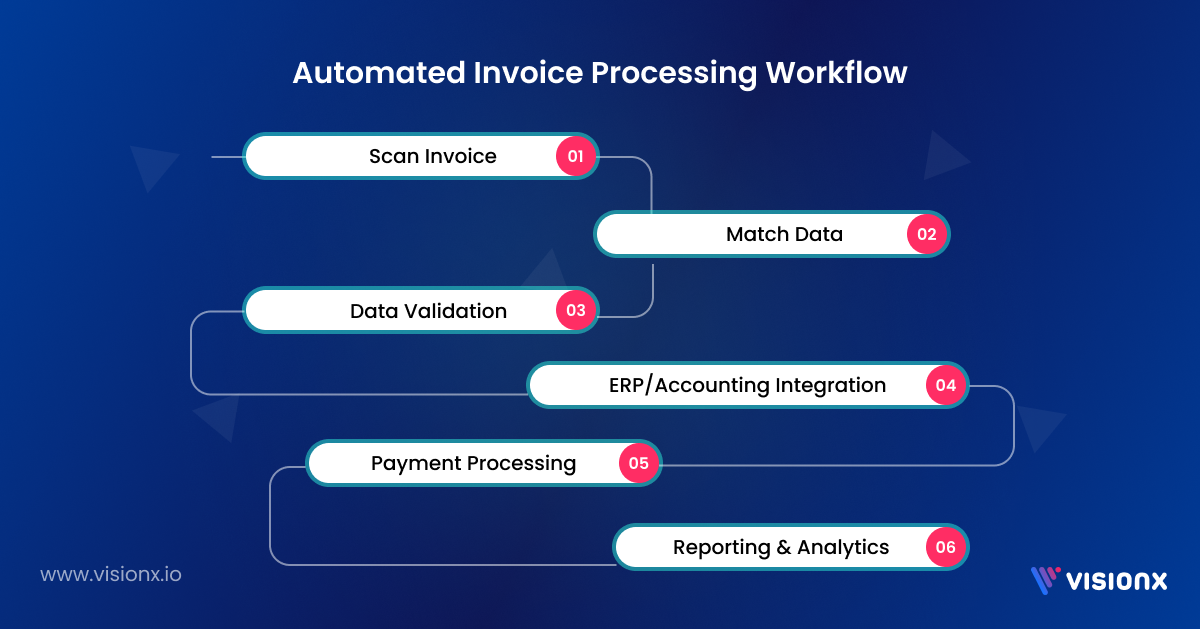
1. Invoice Capture:
- How it works: The software reviews and extracts data from invoices, whether they are submitted on paper, via email, or as a PDF, using OCR technology.
- Key Action: Important information such as the invoice number, vendor details, amount, and due dates are immediately recorded by AI invoice processing software.
2. Data Validation and Matching:
- How it works: The system double-checks the extracted invoice data against POs and contracts to make sure everything matches up. Teams that raise purchase orders for most spend get the most from purchase invoice automation.
- Key Action: AI and machine learning algorithms flag any discrepancies for human review.
3. Approval Workflow Automation:
- How it works: Invoices are automatically transferred to the right people based on set rules, such as which department they are for, how urgent they are, or who the vendor is.
- Key Action: It can handle multiple levels of approval processes, ensuring compliance with company policies. Some vendors market this layer on its own as invoice RPA, which automates existing screens rather than replacing the workflow.
4. Integration with ERP and Accounting Systems:
- How it works: The software syncs up invoice data with major accounting and ERP systems like QuickBooks, SAP, and Oracle without a hitch.
- Key Action: All your financial systems stay up to date in real time, making reporting a breeze.
5. Automated Payment Processing:
- How it works: The system handles payments automatically once all invoices have been accepted and matched.
- Key Action: It can manage many payment methods, including digital wallets, wire transfers, and ACH transactions.
6. Audit and Compliance Tracking:
- How it works: All your invoices and transaction records are stored in one central spot that’s easy to search through.
- Key Action: This feature gives you instant audit trails and generates important compliance reports for regulatory requirements like a champ.
When stages one to five are completed with no manual intervention, the invoice is described as touchless. The touchless rate is the honest measure of how far invoice process automation has actually gone.
Benefits of Automated Invoice Processing
Here’s how invoice processing automation software can genuinely transform your AP automation:
1. Faster Approvals:
One of the benefits of accounts payable invoice automation is that it accelerates the approval process. You don’t have to run people down anymore because it all goes through the system automatically. This invoice automation solution allows you to concentrate on meaningful work rather than tracking paperwork.
2. Fewer Mistakes:
Manual input provides too much leeway for human error, and it only takes a single mistake to result in delays or misunderstandings. Invoice automation keeps it tidy and uniform right out of the gate. You’ll have confidence that your data is correct each time.
3. Reduced Costs:
Automating your invoice processing saves you money by eliminating redundant tasks and diminishing manual labor. The time and resources you release can be utilized where they truly matter.
4. Increased Visibility:
Everything is happening under one roof, so it’s simpler to see what invoices are outstanding and due and what’s been completed. You always have a clear understanding of where things are without having to sift through spreadsheets or emails.
5. Audit-Ready Records
Every invoice carries its own history: who approved it, when, against which purchase order, and why any exception was cleared. Because the record and the control are the same object, audit requests take minutes instead of days, and year-end stops being a document hunt.
Why Are AP Teams Automating Invoice Processing in 2026?
AP teams are adopting invoice processing automation to reduce repetitive work while handling growing invoice volumes more efficiently. Advances in cloud technology, AI, and machine learning are also making invoice processing automation software more capable of extracting data, identifying mismatches, and managing complex workflows.
The shift is already visible across finance operations. McKinsey (opens in a new tab) reports that finance professionals at organizations seriously adopting automation and AI are spending 20% to 30% less time on data-related work, allowing teams to redirect time toward higher-value activities.
The move toward automation is also being driven by operational and compliance requirements:
- AI and automation adoption: AP teams are increasingly using AI, OCR, and machine learning to process invoices and manage exceptions.
- Electronic invoicing: More jurisdictions are introducing structured e-invoicing requirements, increasing the need for reliable electronic invoice processing systems.
- Complex AP workflows: Growing supplier networks, invoice formats, approval rules, and ERP environments make manual processing harder to scale.
- Greater process efficiency: Deloitte documented an AP transformation where autonomous invoice processing helped a companyreduce invoice-processing headcount by 50% (opens in a new tab).
Together, these trends explain why invoice automation software is becoming an increasingly important part of modern AP operations rather than simply a tool for replacing manual data entry.
Invoice Automation vs Manual Processing
The fundamental difference in invoice automation vs manual processing is who performs repetitive invoice-handling tasks.
In a manual workflow, employees open invoices, read the information, enter it into financial systems, find the appropriate approver, follow up on delays, correct mistakes, and maintain supporting documentation themselves.
With automated invoice processing, software handles much of that repetitive work while employees concentrate on exceptions, approvals, supplier issues, and financial controls.
| Process | Manual Processing | Automated Processing |
|---|---|---|
| Invoice entry | Employee enters data | OCR/AI extracts data |
| Validation | Manual checking | Automated rules + review |
| PO matching | Manual comparison | Automated matching |
| Routing | Email/manual forwarding | Rule-based workflow |
| Exceptions | Discovered manually | Automatically flagged |
| Status tracking | Emails/spreadsheets | Centralized workflow |
| Audit trail | Multiple sources | Centralized records |
| Scaling | Requires more labor | Higher automation potential |
Automation does not necessarily eliminate people from the workflow. A well-designed system sends uncertain, unusual, or policy-sensitive invoices to the appropriate employee for review.
Invoice Automation vs AP Automation: What’s the Difference?
Invoice automation vs AP automation comes down primarily to scope.
The invoice automation focuses specifically on receiving, extracting, validating, matching, routing, and processing invoices. AP automation can cover the broader accounts payable lifecycle, including supplier onboarding, invoice processing, approvals, payment execution, reconciliation, reporting, and other payables activities.
For that reason, accounts payable automation software may contain invoice processing as one component of a wider financial workflow.
| Area | Invoice Automation | AP Automation |
|---|---|---|
| Invoice capture | Yes | Yes |
| Data extraction | Yes | Yes |
| Validation | Yes | Yes |
| Approval routing | Yes | Yes |
| PO matching | Often | Often |
| Supplier management | Varies | Often |
| Payment execution | Varies | Often |
| Reconciliation | Varies | Often |
| Broader AP reporting | Varies | Usually |
An AP automation software platform therefore makes more sense when the organization wants to automate processes beyond invoice handling alone.
Key Features to Look for in Invoice Automation Software
When choosing the best invoice automation tool, you need to look for certain key features:
- OCR: It automatically extracts data from invoices and reduces manual entry.
- AI and ML: Learn from past transactions to build accuracy in the data and make the work more efficient.
- Integration with popular accounting and ERP applications: Make sure the software can integrate seamlessly with software like SAP, Oracle, and QuickBooks.
- Custom Workflow Automation: This allows organizations to define rules for routing, exception handling, and approvals.
- Real-time reporting and analytics: Offers data on how invoices are being processed and how cash flow can be optimized.
- Cloud-based Access: Ensures secure data storage and remote accessibility.
- Two- and three-way matching: Confirm the tool matches at the line-item level, not just header totals. This is the control that stops duplicate and inflated payments.
Top 7 Invoice Automation Software Solutions
If you’re ready to automate your AP processes, here are the top invoice automation solutions. Scope shows whether a tool handles invoices you receive (AP), invoices you send (AR), or both.
| Provider | Overview | Key Features | Pros | Best For |
|---|---|---|---|---|
| VisionX | A leading AI development company that provides invoice automation solutions. | – Advanced OCR for data extraction – Seamless ERP integration (e.g., QuickBooks, SAP) – Real-time analytics | • Highly customizable • Strong data-annotation support | Businesses seeking robust AI-driven automation. |
| SAP Concur | A comprehensive invoice processing automation software with global compliance support. | – AI-powered invoice matching – Mobile-friendly approvals – Global compliance tools | •Enterprise-grade security • Proven global footprint | Enterprises needing scalable, global solutions. |
| Tipalti | Specializes in global payments, invoice approvals, and compliance checks. | – Multi-currency and language support – Automated tax compliance – Supplier self-service portal | • Excellent global payout network • Automated tax handling | Multinational businesses with complex payments. |
| Stampli | Focuses on vendor collaboration and centralized invoice communication. | – AI-powered invoice tracking – Real-time collaboration tools – Easy ERP integration | • Intuitive UI • Fast vendor response times | Companies prioritizing vendor communication. |
| AvidXchange | A user-friendly invoice automation software solution for mid-sized businesses. | – Automated approval workflows – Customizable reporting – Strong AP automation focus | • Easy to deploy • Strong mid-market focus | Mid-sized businesses seeking affordable solutions. |
| Bill.com | Simplifies invoice automation with AI-powered data extraction and accounting sync. | – AI-driven invoice capture – Two-way sync with accounting software – Mobile app for approvals | • Very flexible • Affordable pricing tiers | Small to mid-sized businesses need flexibility. |
| QuickBooks | A popular accounting platform with built-in invoice automation features for small businesses. | – Automated invoice creation and tracking – Integration with bank feeds – Recurring billing support | • All-in-one accounting suite • Familiar UI | Small businesses that want built-in automation within a full-featured accounting platform. |
1. VisionX
We are an AI development company, and we build invoice automation software around the systems an organization already operates rather than requiring a migration onto a fixed platform.
Our invoice OCR API performs extraction, our models and configured rules handle validation and routing, and connectors return the result to the ERP or accounting system of record.
Key Capabilities
- AI-powered Data Extraction: VisionX precisely extracts invoice data without requiring human input by utilizing state-of-the-art OCR and AI technologies.
- Automated Approval Procedures: Workflows are configured to an organization’s own authority thresholds, delegations and cost-center structure.
- ERP and Accounting Integration: We integrate with SAP, QuickBooks and Oracle so the general ledger remains current without re-entry of approved invoices.
- Document Annotation at Scale: Our annotation teams train models against a client’s own document set, which is the work that improves extraction accuracy on non-standard invoices.
- Real-Time Analytics: Reporting covers invoice volumes, cycle times and the sources of exceptions.
- Secure Cloud Deployment: Data is held in a controlled cloud environment with audit logging throughout the workflow.
Best Suited For
Organizations that intend to retain their existing systems and require capture and workflow to be fitted around them, and organizations whose document mix is not well served by template-based tools. High-volume commerce and retail operations, where supplier numbers are high and formats vary, generally see the clearest benefit.
2. SAP Concur
Concur Invoice is SAP’s invoice product for large organizations seeking to centralize intake, approvals and spend visibility. It digitizes the workflow from capture and purchase-order matching through to payment tracking, and reports liabilities within the wider SAP Concur environment.
Key Capabilities
- Centralized capture and routing, including general ledger coding and rule-based approval paths.
- PO and non-PO processing, with distinct workflows for unplanned expenditure.
- Global compliance tooling, including tax treatment across multiple jurisdictions.
- Suite integration, allowing invoices, expenses and travel to be managed under a single vendor.
Best Suited For
Global enterprises requiring unified control across accounts payable, travel and expense, particularly those already standardized on SAP.
3. Tipalti
Tipalti automates payables for organizations paying suppliers across multiple countries and legal entities. It captures and validates invoices, routes them for approval, synchronizes with the ERP, and then executes payment while maintaining tax and compliance accuracy.
Key Capabilities
- Extensive payment coverage across multiple countries, currencies and payment methods.
- Supplier onboarding portal, through which suppliers submit and maintain their own details.
- Automated tax validation, including tax identification checks and compliance screening.
- Multi-entity reporting across subsidiaries and locations.
Best Suited For
Global, multi-entity finance functions, and organizations paying large supplier or partner networks across multiple jurisdictions.
4. Stampli
Stampli organizes each invoice as a single record of discussion rather than a document forwarded between inboxes. Queries, comments and approvals are retained against the invoice itself, and automated capture and coding allow approvals to progress without follow-up correspondence.
Key Capabilities
- Capture informed by historical coding, so suggestions align with established treatment.
- Discussion retained on the invoice record, which shortens audit preparation.
- Vendor portal for status inquiries and payment-detail updates.
- Mobile approvals, allowing approvers to clear queues remotely.
Best Suited For
Teams whose constraint is approval time rather than capture, and sectors subject to continuous audit scrutiny.
5. AvidXchange
AvidXchange automates invoice processing from capture through approval and then remits payment through its own supplier network. It connects to a broad range of ERP and accounting systems.
Key Capabilities
- Extraction, matching, and routing configured for high invoice volumes.
- Purchase-order matching validated at line-item level.
- Supplier payment network, allowing suppliers to select ACH, virtual card or cheque.
- Searchable audit trail holding receipts, invoices and purchase orders in a single index.
Best Suited For
Mid-sized organizations with extensive supplier lists, particularly multi-site operators where payment volume rather than invoice complexity is the constraint.
6. Bill.com
Bill.com automates both directions of invoicing: bills received and invoices issued. Automated capture reads incoming documents and codes them to the general ledger, approvals are routed by rule, and records synchronize bidirectionally with the accounting system.
Key Capabilities
- Automated capture with general ledger coding, requiring less configuration than most alternatives.
- Bidirectional accounting synchronization with QuickBooks, Xero and comparable systems.
- Multiple payment methods across an established network.
- Mobile approval and payment functionality.
Best Suited For
Small and mid-sized organizations that require accounts payable and receivable in a single system.
7. QuickBooks
QuickBooks automates issued invoices: creation, scheduling, reminders, recurring billing and reconciliation against bank feeds, within the accounting platform many small businesses already operate.
Key Capabilities
- Invoice creation and tracking, with templates, scheduling and status in a single view.
- Recurring billing for retainer and subscription revenue.
- Automated payment reminders, issued without manual intervention.
- Bank-feed reconciliation, matching receipts to invoices on settlement.
Best Suited For
Small businesses whose constraint is collection rather than payment, and which already maintain their accounting records in QuickBooks.
How to Choose the Best Invoice Automation Software
To choose between invoice automation solutions, start with your AP process rather than a vendor shortlist. Focus on where manual work occurs, what causes delays, and which systems your invoice processing software needs to connect with.
- Map your current invoice workflow: Review invoice channels, monthly volume, approval steps, PO and non-PO invoices, exceptions, payment processes, and reporting requirements.
- Identify what needs automation: Determine whether your main challenges are manual data entry, PO matching, approval delays, exceptions, invoice visibility, or payment processing.
- Define integration requirements: Check whether the invoice automation software integrates with your ERP, accounting, procurement, and payment systems without extensive custom development.
- Test real invoices: Use actual supplier invoices with different layouts, line items, languages, and document quality to see how accurately the invoice automation solution performs.
- Evaluate exception handling: Test how the system manages mismatches, missing information, duplicate invoices, and low-confidence data.
- Review security and governance: Assess access controls, authentication, audit logs, data retention, and regulatory requirements.
- Calculate the total cost: Invoice automation software pricing may depend on users, invoice volume, transactions, integrations, implementation, support, and additional modules. Compare the total cost rather than the advertised subscription price.
These factors provide a practical basis for comparing an invoice processing service or software platform and selecting a solution that fits your AP workflow.
How to Implement Invoice Processing Automation
Implementing invoice processing automation requires a structured rollout that connects the software with your existing AP processes, systems, and teams. Follow these steps:
- Evaluate Business Needs: List the issues with your present invoice processing procedure and specify your automation objectives.
- Engage Stakeholders: For a seamless transition, include senior management, IT departments, and finance teams.
- Configure and Integrate: Configure invoice automation tools to match your approval workflows and integrate them with existing ERP, accounting, and payment systems.
- Test and Customize: Run pilot tests with real invoices to identify issues, verify system compatibility, and customize workflows where needed.
- Train Staff: Provide practical training so AP teams and approvers can use the new system effectively.
- Monitor and Optimize: Track processing time, error rates, exceptions, and cost savings to continuously improve the automation process.
How VisionX Can Help You Automate Your Invoicing Process
VisionX supports invoice automation through our Invoice OCR API, which uses AI and OCR to extract structured data from invoices and reduce manual data entry. It can help businesses build more efficient automated invoice processing workflows around their existing processes.
Our invoice OCR capabilities can be integrated into existing applications and financial workflows, making them suitable for businesses that need a more customized invoice automation solution rather than relying entirely on an off-the-shelf platform.
Ready to reduce manual invoice processing? Book a demo with VisionX to see how invoice automation can fit into your workflow.
Conclusion
Considering incorporating invoice automation software into business operations? It’s evolutionary. It transforms bill management, makes work more efficient, reduces costs, and facilitates compliance. The right invoice automation software is key to building efficiency and the seamless running of financial processes. Switch when the time comes, adopting best practices for a seamless transition and ongoing success.
Are you prepared to advance your invoicing procedure? Start automating now by looking at the top solutions for invoice processing automation software.
FAQ
Frequently asked questions
Invoice processing automation uses software to handle invoice receipt, data extraction, validation, matching, approval, and recording. It reduces manual entry and routing while allowing staff to review exceptions requiring judgment.
OCR extracts text from invoices, while AI interprets and classifies the extracted data. Modern electronic invoice processing systems often combine both technologies.
Yes, routine invoices can be highly automated, but exceptions, mismatches, and uncertain data may still require human review.
AI invoice automation uses AI to extract, classify, validate, and process invoice data while identifying anomalies and exceptions.
No. Automated invoicing creates and sends customer invoices, while invoice automation typically processes supplier invoices within accounts payable.
Invoice automation software pricing varies by invoice volume, users, features, integrations, and implementation requirements. Enterprise solutions often use custom pricing.
The best invoice automation software depends on your invoice volume, workflows, integrations, security requirements, budget, and automation needs.